
Download Google2SRT – YouTube subtitles, download subtitles, Google video subtitles, subtitle extractor, SRT file, non-embedded subtitles
Overview
Google2SRT is a specialized utility designed to extract non-embedded subtitles from YouTube and other Google-hosted videos. The app enables users to quickly retrieve subtitle files in the widely supported SRT format, making them accessible for offline use, video editing, or language learning. By allowing users to paste a video URL and select their preferred language, the tool streamlines the process of accessing subtitles that are not automatically included in the video stream. This functionality is particularly useful for content creators, educators, and language learners who require accurate, downloadable subtitles for educational or production purposes.
Target users include individuals who frequently watch or analyze video content, especially those needing subtitles in languages other than the original audio. The app addresses the common challenge of manually searching for and downloading subtitles from third-party websites, which can be time-consuming and unreliable. With Google2SRT, users gain a direct and efficient method to access subtitle files without relying on external platforms.
Developed by Jason A. Bilbrey, the tool has been available since 2011, reflecting a long-standing commitment to providing a lightweight, functional solution for subtitle extraction. Although the developer did not provide additional technical details, the app’s continued availability suggests a stable and reliable performance over time. Its presence in the productivity category underscores its role as a niche but valuable tool within the digital content ecosystem.
Key Features & Functionality
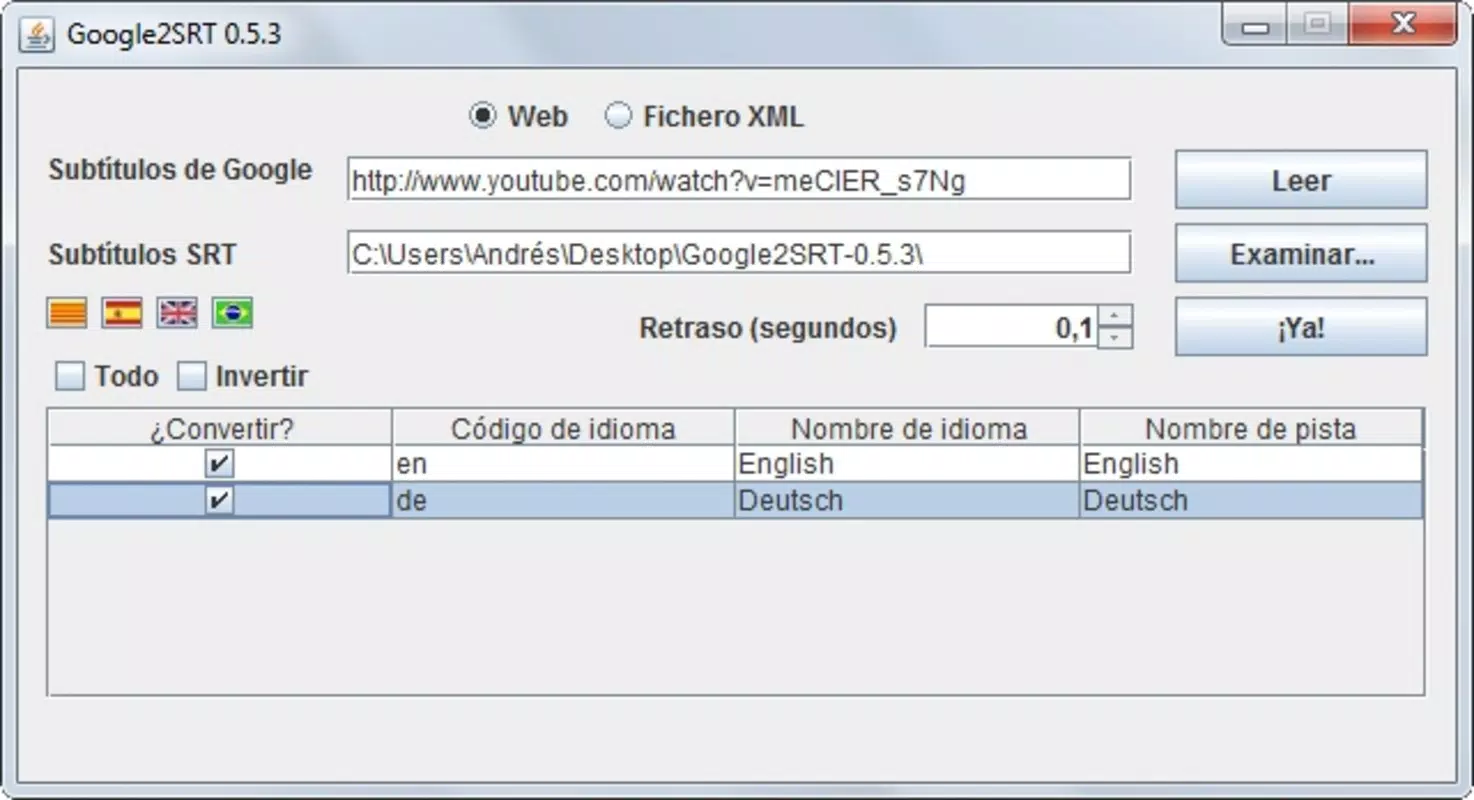
- Easy URL Input: Users can copy and paste any YouTube or Google video URL directly into the interface. This eliminates the need for complex navigation or manual URL parsing, allowing for immediate processing.
- Subtitle Language Selection: The app supports multiple subtitle languages, enabling users to choose their preferred output. This feature enhances accessibility and supports multilingual viewing experiences.
- Quick Downloads: Subtitle files are processed and downloaded in seconds, minimizing wait times. This efficiency is ideal for users who need to extract multiple subtitles in a short period.
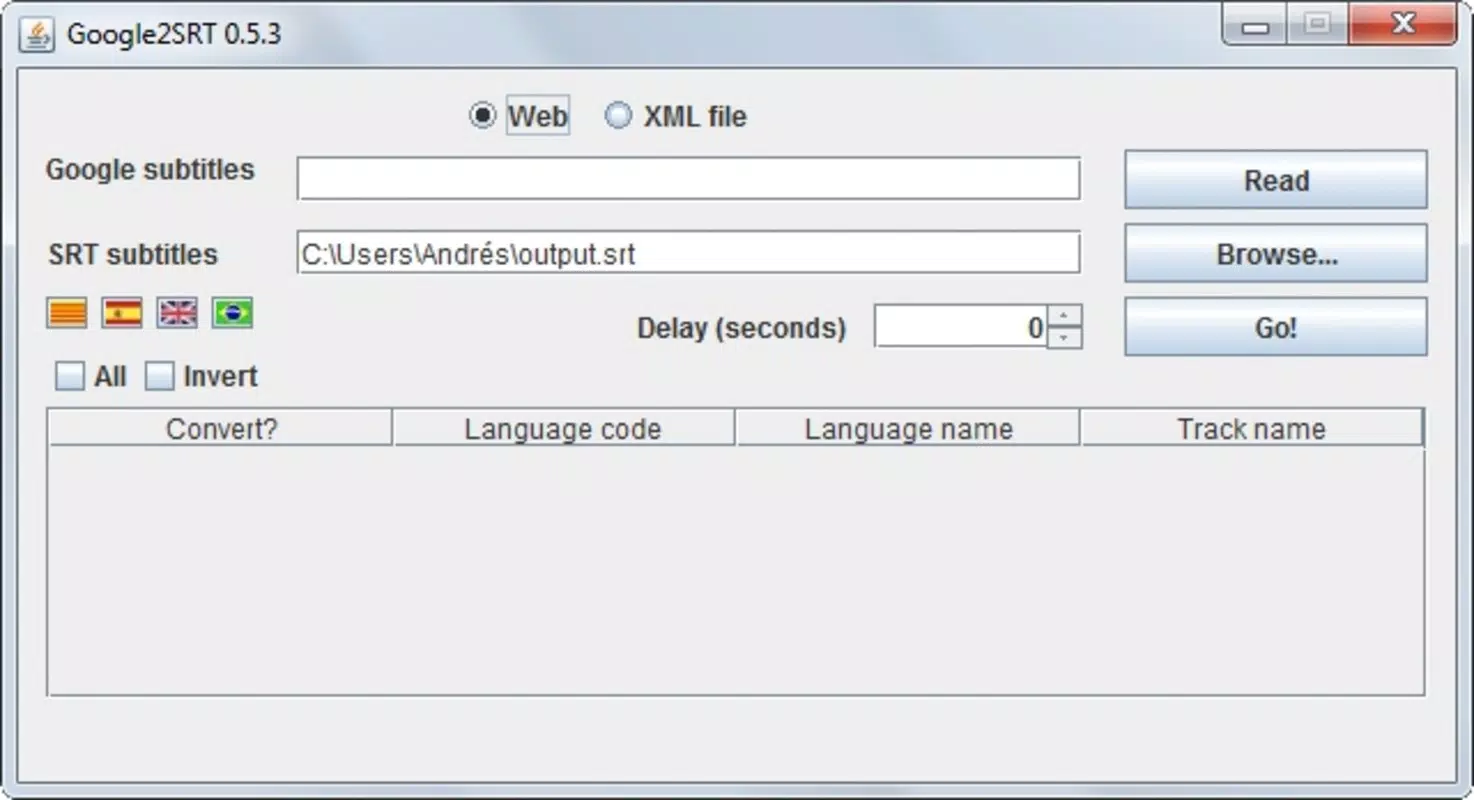
- User-Friendly Interface: The layout is simple and intuitive, designed for users with varying levels of technical expertise. Minimal learning is required to operate the tool effectively.
- Output Folder Customization: Users can specify a preferred directory for saving downloaded SRT files, ensuring organized file management and easy access later.
For example, a language student might use Google2SRT to download French subtitles for a French news video, then use the SRT file to practice reading and listening simultaneously. A video editor could extract subtitles to synchronize them with a new video project or to create captions for a final upload. The app’s focus on speed and simplicity makes it a practical tool for real-world productivity workflows.
Interface, UX & Performance
Google2SRT features a clean, minimal interface with a central input field for the video URL, a language selection dropdown, and a folder picker. The layout is straightforward, with clearly labeled buttons and no clutter, which contributes to a smooth user experience. Navigation is linear and predictable, requiring only a few steps to complete a download.
Although the developer did not list formal performance metrics, the app’s design suggests optimization for speed and low resource usage. The 3.1 MB file size indicates a lightweight application, likely suitable for older or lower-end systems. Users can expect responsive behavior during URL processing and file saving, with minimal lag during typical use cases.
Stability appears to be a consistent trait, given the app’s long-standing availability since 2011. However, specific compatibility details with modern Windows versions were not disclosed. Users should be aware that the app may not support the latest operating system updates if no recent updates have been released. Nonetheless, its continued functionality suggests reliable operation across a range of environments.
Platform Compatibility & Technical Requirements
Google2SRT is designed for the Windows platform and is available as a standalone executable. The current version is 1.0.1, with a file size of 3.1 MB. The app is free to download and use, making it accessible to a broad audience without financial barriers.
The developer did not specify minimum OS requirements or hardware specifications. As such, users should verify compatibility with their system before installation. While the app’s lightweight nature suggests it may run on older Windows versions, no confirmation was provided. Users should also ensure their system supports the execution of .exe files, especially if security software is active.
Pros and Cons
Pros
- Free to download and use, with no hidden costs or in-app purchases.
- Lightweight at only 3.1 MB, suitable for low-storage devices.
- Fast subtitle extraction, often completing in seconds.
- Simple, intuitive interface ideal for non-technical users.
- Supports multiple subtitle languages for enhanced accessibility.
- Allows custom output folder selection for better file organization.
Cons
- Platform limited to Windows; no support for Android, iOS, or macOS.
- Developer did not provide detailed system requirements or update history.
- App has not been updated since 2011, raising concerns about long-term compatibility.
- No built-in preview or editing functionality for downloaded SRT files.
- Relies on external video sources; may fail if URLs are restricted or changed.
FAQ
Is Google2SRT safe to download and use?
Yes, the app is free and available from trusted sources. However, users should ensure they download it from official or verified platforms to avoid malware.
Can I use Google2SRT on Android or iOS?
No, the app is currently only available for Windows. There is no official version for mobile platforms.
Does Google2SRT support all YouTube videos?
It works with most publicly accessible YouTube videos that have subtitles. However, videos with restricted access or no available subtitles may not be processed.
How do I install Google2SRT?
Download the .exe file, run it, and follow the on-screen instructions. No installation is required—just execute the file directly.
Is the app updated regularly?
The developer has not released any updates since 2011. Users should be cautious about compatibility with newer Windows versions.
Final Thoughts
Google2SRT remains a niche but effective tool for users who need to extract non-embedded subtitles from YouTube and Google videos. Its simplicity, speed, and free access make it a valuable asset for educators, language learners, and content creators. While its lack of recent updates and limited platform support are notable drawbacks, the app continues to fulfill its core purpose reliably.
For those working primarily on Windows and requiring quick access to SRT files, Google2SRT offers a straightforward solution without the complexity of larger software suites. Its minimal design and focused functionality reflect a tool built for a specific task, executed well.
Download Google2SRT now


